
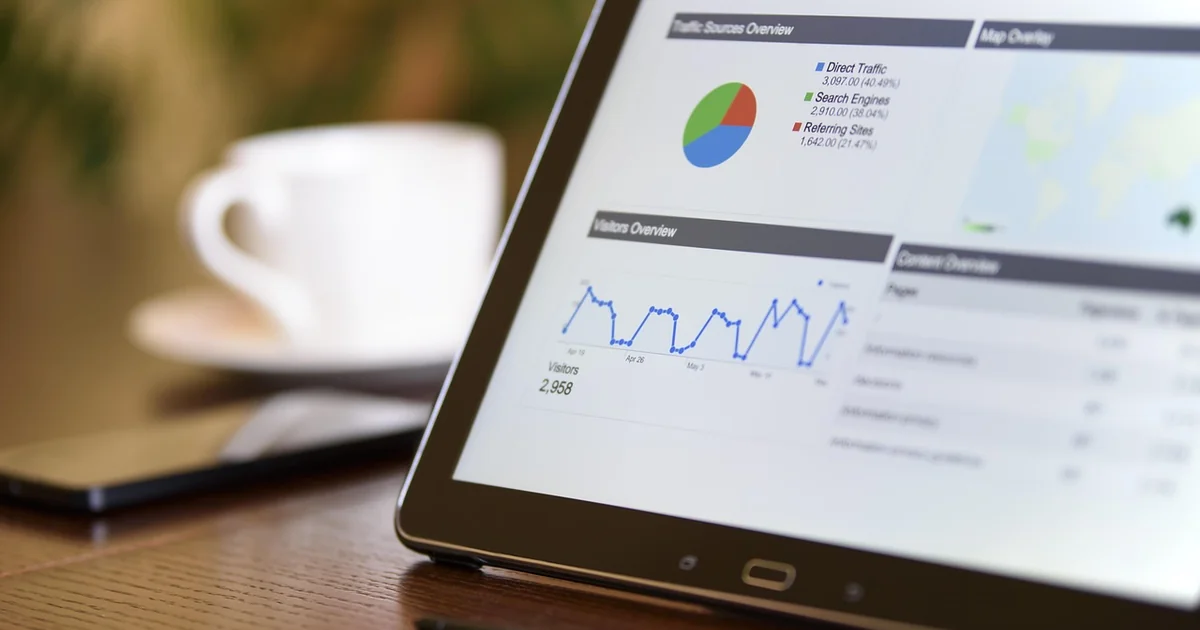
Ask a blind researcher what happens when a journal article reaches its results section, and you'll often get a variation of the same answer: the text keeps talking, then the data goes silent. A figure appears, a screen reader announces "image," and the argument continues without you. I still remember the first time a colleague sent me a paper and, halfway through a sentence about regression coefficients, her screen reader simply skipped forty lines.
Accessible data visualization for blind research audiences is not a niche formatting concern. It is the difference between reading a paper and reading a paper's abstract. In this article I want to stay deliberately narrow: researchers, not general audiences. Students and casual readers have different needs from people who must verify a p-value, reproduce a result, or defend a finding in a viva.
Key takeaways
- Screen readers handle text well and graphics badly. A figure without an alternative is a hole in the argument.
- Sonification, tactile output and structured text answer different questions. None of them replaces the other two.
- A static alt text is not enough for research data. You need the underlying table, described, not just the picture.
- Cost and tool fragmentation remain the two biggest obstacles in labs I have worked with.
- Designing for a blind reader usually makes the chart easier for everyone. That has been my experience every time.
Why research audiences face a harder problem than general readers
The standard advice you'll find online was written for websites, dashboards and slide decks. It usually says: give images alt text, provide a text summary, avoid red-green combinations. Fine advice. It falls apart the moment someone needs to compare distributions across four experimental groups.
The reason is structural. Reading a bar chart visually lets you take in the whole shape at once, then zoom into the detail. Screen readers are sequential and narrow: they deliver one item at a time, in a fixed order. A sighted reader glances at a scatter plot and sees the outlier immediately. A blind reader who receives a list of a hundred coordinate pairs has to reconstruct the shape in working memory. That is a real cognitive task, not a small inconvenience.
The bottleneck nobody mentions
Here's the thing most accessibility checklists skip: research data is not usually presented as a single image. It lives in a chain. Data collection, cleaning, statistical output, a figure in the manuscript, a supplementary table, a peer-review response. Each link can break the chain separately, and a scholar working through that chain needs consistency, not just a friendly caption.
So what does it actually take? Three things, and they overlap more than their advocates admit:
- The structured source — an accessible table with proper headers, in a format the reader can navigate cell by cell.
- Sound — pitch, timbre or pan mapped to values, so trends become audible.
- Touch — embossed or refreshable tactile output, or physical prints, for spatial relationships.
A fourth item deserves mention. Prose. Plain, precise, descriptive sentences about what the data shows. It sounds primitive next to sonification, but it is often the only thing that survives copy-paste into a journal portal.
What accessible data visualization actually looks like in practice
Picture a lab I worked alongside last year. The research question was about response times across three conditions. The figure was a grouped bar chart with error bars, tinted in three shades of blue. For a blind reader, all of that information existed and none of it was reachable.
The fix took an afternoon, not a redesign. We replaced visual encoding with a described table, added a short text paragraph summarizing the main effect, and recorded a rough sonification of the averages as a supplementary file. The reviewer said the summary paragraph was clearer than the original caption. Which brings up something I keep seeing.
A side-by-side comparison of the main approaches
No single method wins. Each answers a different question, and the table below is my working map after a few years of trying them out.
| Method | Best for | Weak point | Effort to produce |
|---|---|---|---|
| Structured accessible table | Precise values, statistics, reproducibility | Gives no overall shape | Low, if the data already exists |
| Descriptive prose summary | Main takeaway, journal portals | Cannot carry every detail | Low |
| Sonification | Trends across time, outliers | Steep learning curve for the reader | Medium |
| Tactile / embossed output | Spatial layout, maps, scatter | Cost, limited refresh | High |
| Refreshable Braille display | Detailed navigation of a data point | Narrow line length | Depends on existing hardware |
What a real example looks like
If you want a concrete picture, imagine a figure caption that reads: "Figure 2. Mean accuracy by condition. Error bars show standard error. Condition B outperformed A by 12 percentage points, while condition C showed no reliable difference." Then imagine the number of times you have seen a caption that says only "Figure 2. Results." That gap is where the accessibility problem lives.
For readers who want the deeper technical material, the discussion has long been documented in a PDF-heavy literature: papers from the Human-Computer Interaction and accessible computing communities, toolkits that generate sound from data, and open source utilities that convert tables into navigable structures. I won't pretend those are interchangeable or that any one is the answer. The point is that a lot of the thinking already exists; it just has not reached the average manuscript template.
The tools and their real cost
Spoiler alert: none of the sophisticated options are free. Braille embossers run into thousands, and a refreshable tactile display can cost as much as a decent laptop. Sonification tooling is cheaper, but it assumes a reader who is willing to learn to interpret pitch as a value.
That last part matters more than the vendor brochures admit. I tried a sonification prototype for a week and, honestly, I knew nothing at first. A tone is a tone. It took me days to hear the difference between a plateau and a slow climb.
Why the free options still matter
The free options are the structured table and the prose summary. They sound dull next to a tactile plot. They also work in every screen reader, survive PDF conversion, and cost nothing to produce. My strong opinion: start with the table, then add the rest if the data justifies it. I'll defend that order every time.
What a researcher needs from the whole workflow, not just the figure
Publications are where the discussion usually stops, and that is a mistake. A blind researcher working through an analysis needs the pipeline to stay usable from the raw data through to the review response. If the cleaning script produces an image and the image is the only representation, the chain breaks at the first step.
Three habits I have seen help a lot:
- Keep the source data in a readable table format and reference it from the figure legend, not a separate appendix nobody opens.
- Write the caption as a short finding, not a restatement of the format.
- Check whether the reader can actually navigate the table cell by cell. A table that exists but is unreadable is not accessibility.
That first habit alone resolves the majority of problems I have seen. The remaining ones are usually about tooling cost or the reviewer's willingness to accept an accessible alternative to a pretty graphic. And that is a policy question, not a technical one.
My conclusion, and one thing you can do this week
Accessible data visualization for blind research audiences will not be solved by a single tool. It will be solved by people deciding that the underlying data deserves a description, and that the description is part of the paper, not an afterthought. If you take one thing from this: the table is the visualization. The chart is one rendering of it. Write it that way, and the rest follows more easily than you would expect.
And there is a question worth sitting with. When a colleague sends you the next draft, do you check whether the results can be read by someone who cannot see the figure? If not, you already know where to start.


